
Child Support Enforcement Agency Portal
CLIENT
Hawaii Child Support Enforcement Agency is a division of the Department of the Attorney General responsible for ensuring children receive ongoing financial support by managing and distributing court-ordered child support payments.
CSEA partnered with our team to modernize its aging digital ecosystem. The project included a complete redesign of the customer web portal, a staff-facing agency portal, and a new mobile app experience built to support parents who primarily access services on their phones.
Final Product
Web Portal:
ag.hawaii.gov/csea
(Direct link is not bookmarkable — select the My Account button.)
Mobile App:
Google Play Store – CSEA App
My Roles & Tools
| My Roles | Duration | Tools/Tech |
|---|---|---|
| UI/UX Designer | 1 year | Figma |
| Front-end Developer | 6 months | React.js, Git |
BUSINESS GOALS
CSEA set out to modernize its outdated portal and create a unified, accessible experience for both parents and agency staff. The new platform needed to be intuitive, visually modern, and reliable on AWS infrastructure.
The redesign covered:
- A self-service portal for custodial & non-custodial parents
- A robust internal portal for CSEA staff
- A shared design system and front-end codebase
The project followed Agile/Scrum with weekly collaboration across design, development, and product teams.
Key Features
Customer Portal
- View case balances & payment history
- Request forms by mail
- Download documents (PDF)
- Check upcoming hearings
Agency Portal
- Search parent accounts
- Unlock user access
- Perform all customer actions with expanded permissions
CHALLENGES
1. Complex case and payment data
Parents often struggled to understand their balances, payment history, and case status. The legacy design presented information in dense tables with minimal hierarchy.
My approach: Restructure data into clear modules, simplify terminology, and highlight the most important insights first.
2. Accessibility requirements
As a government service, the portal needed WCAG 2.1 AA compliance, something the previous site did not meet.
My approach: Strengthen visual hierarchy, ensure contrast ratios, standardize focus states, and follow semantic structure for assistive technology.
3. Design-to-development consistency
The agency wanted the redesign built in React with reusable components. Maintaining consistency as new features were added became an ongoing challenge.
My approach: Build a Figma component library mapped directly to React components, and contribute to front-end development myself to ensure alignment.
DESIGN APPROACH
Collaborating from Day One
I joined weekly refinement sessions with BA and clients. These conversations helped me understand the real friction points parents encountered and the administrative pain points staff felt with the old system.
Modernizing the Interface
The legacy portal had grown cluttered over time. I redesigned the homepage to highlight case status, recent payments, and next steps, reducing the number of clicks required to find essential information.
Building a Scalable Component System
I created a reusable component system in Figma—tables, cards, buttons, form elements, and navigation patterns. This system became the backbone of the React front-end library.
From Design to Implementation
Because I also contributed to the React codebase:
- I integrated UI components into real screens
- Fixed layout inconsistencies
- Collaborated through Git to keep design and development aligned
This helped the team maintain quality and consistency as the system evolved.
IMPACT / OUTCOMES
Even without formal metrics, the redesign led to clear qualitative improvements:
-
Improved clarity and usability: Parents could quickly understand their case information, reducing confusion around balances and payments.
-
More efficient staff workflows: Agency employees could find and manage parent accounts faster due to cleaner layouts and consolidated actions.
-
A consistent, scalable design system: New features now launch faster thanks to reusable Figma and React components.
-
Stronger accessibility compliance: The new portal adheres to WCAG 2.1 AA standards, improving access for all users.
-
Increased trust and confidence: The modern interface helps reinforce the agency’s role as a reliable public service.
BEFORE & AFTER
| Before | After |
|---|---|
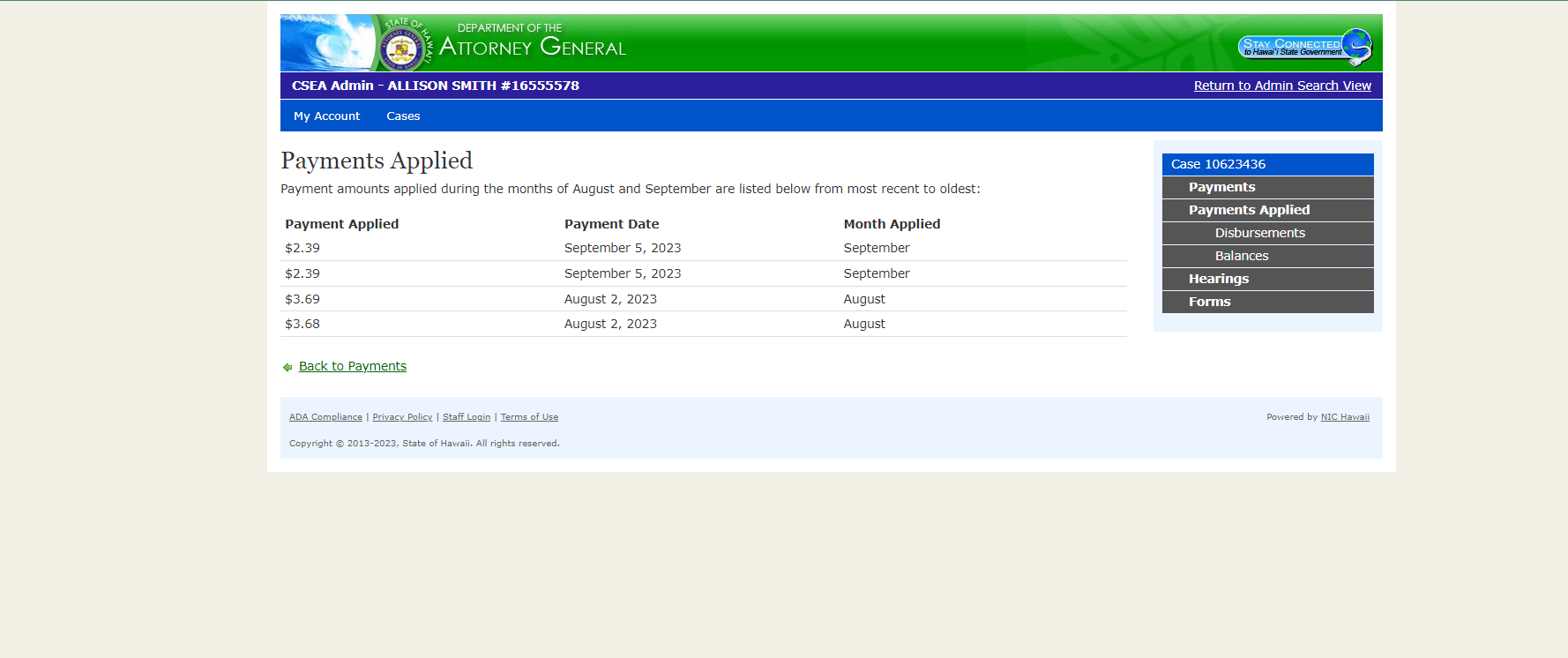 |
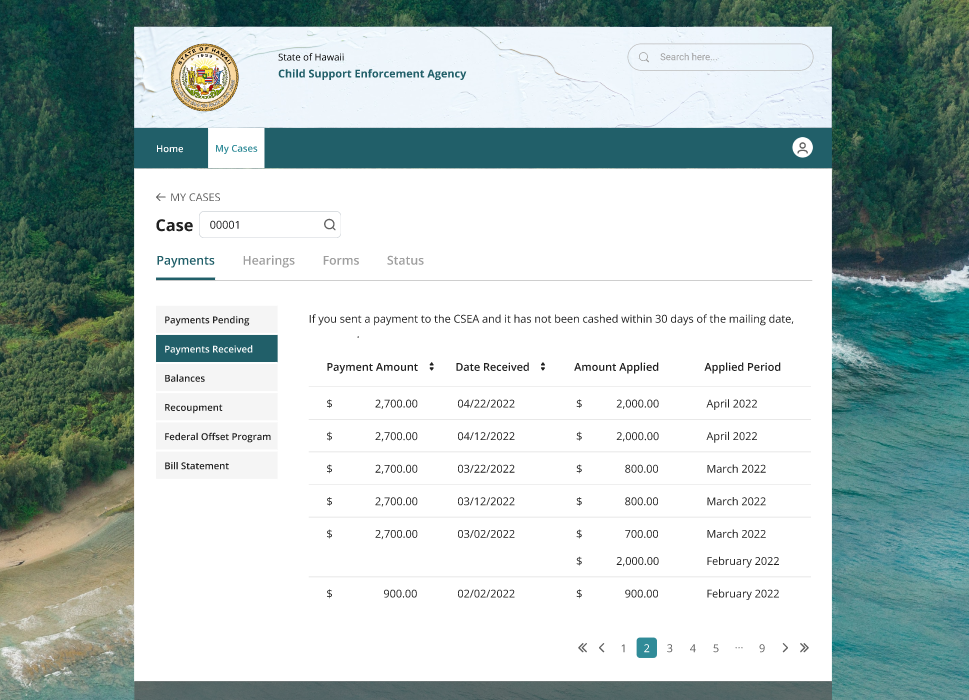 |
MOBILE EXPERIENCE
As part of the modernization effort, the customer portal also needed a mobile experience that allowed parents to quickly access case and payment information on the go. Many users rely primarily on their phones, so the mobile interface became an essential extension of the web platform.
My Role in the Mobile Version
I adapted the redesigned portal for mobile, ensuring the interface remained clear, usable, and accessible on smaller screens. This included:
- Translating complex case and payment data into simplified mobile layouts
- Reworking the homepage for quick “at-a-glance” updates
- Designing mobile-friendly versions of forms, tables, cards, and document lists
- Ensuring consistent use of the shared design system across web and mobile
- Supporting development by clarifying responsive behavior and component usage
Mobile Design Challenges
1. Dense case data on a small screen
The original desktop patterns didn’t translate well to mobile due to long tables and multiple data points.
Solution: Break data into collapsible sections, highlight the most important numbers first, and use cards instead of tables for easier scanning.
2. Navigation complexity
Parents needed fast access to payments, documents, and cases — but the desktop sidebar didn’t work on mobile.
Solution: Introduced a horizontal tab navigation pattern and reorganized features into mobile-friendly menus.
Mobile UI Highlights
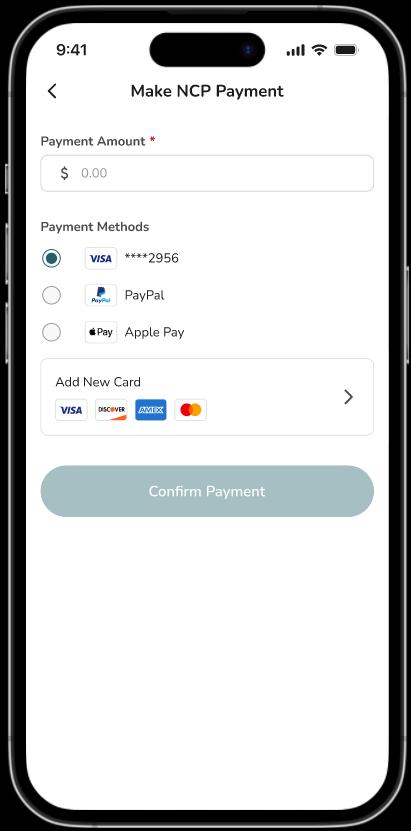
- Mobile Homepage: Quick view of balances, case status, and recent activity
- Payment History: Clean, scrollable layouts replacing dense desktop tables
- Case Details: Collapsible cards for easier navigation of long content
- Document Viewer: Simple list structure with PDF download options
Mobile Mockups
| Sign In | Home | Payment |
|---|---|---|
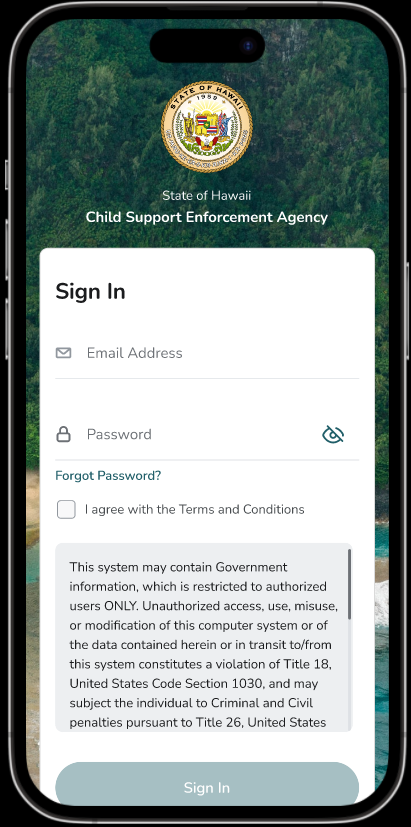 |
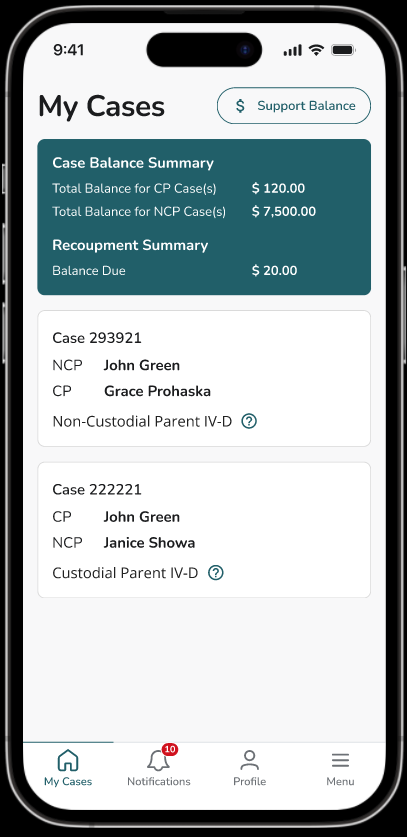 |
 |